(微信/抖音/百度)小程序自动上传
应用场景:微信小程序上传体验版/生成开发版就离不开微信开发者工具,最开始是依赖于人手动上传按钮,后面微信开发了命令行上传接口。
概述
miniprogram-ci 是从微信开发者工具中抽离的关于小程序/小游戏项目代码的编译模块。
开发者可不打开小程序开发者工具,独立使用 miniprogram-ci 进行小程序代码的上传、预览等操作。
CI官网地址
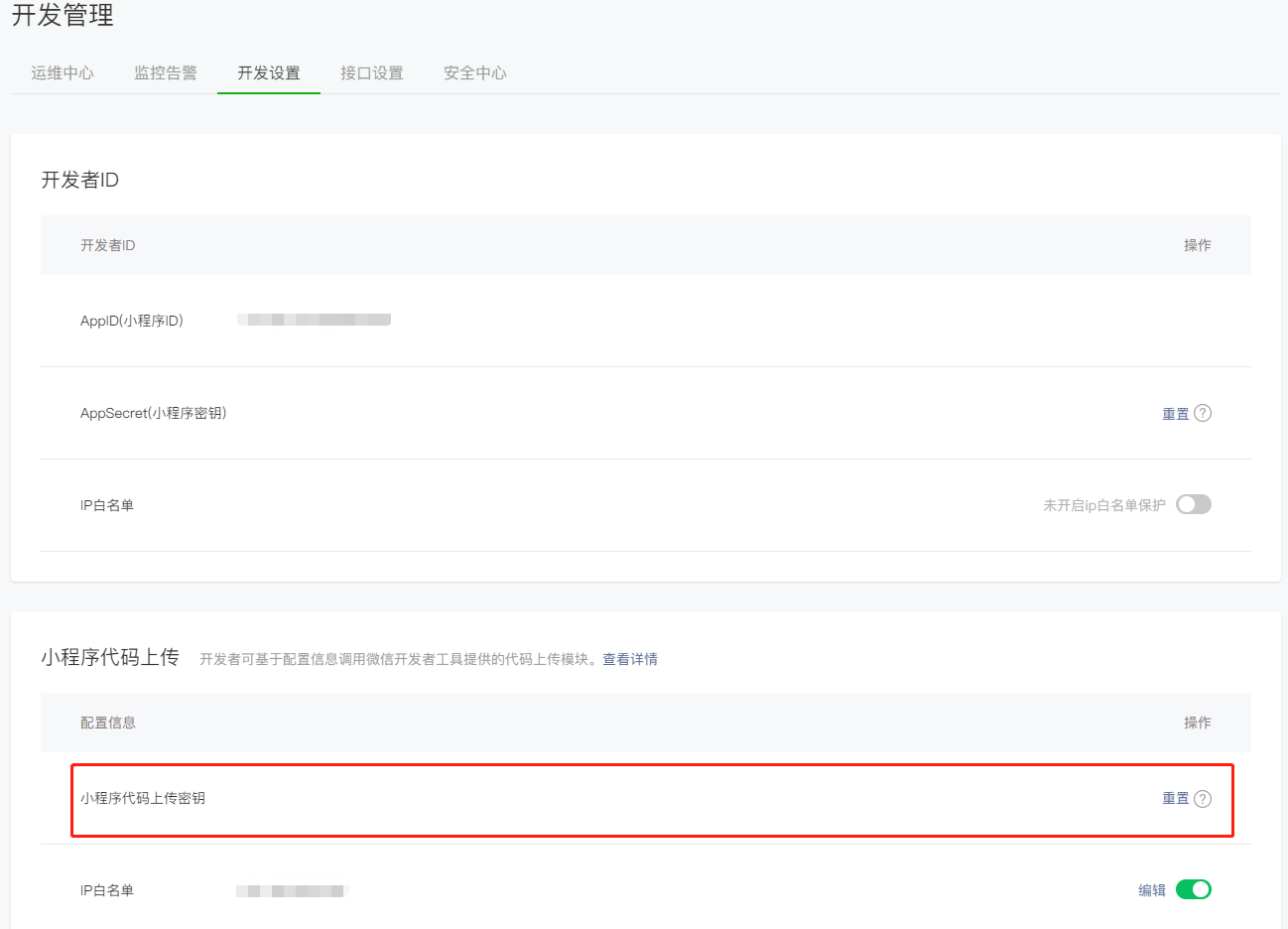
微信小程序
命令行
1
2
3
4
5
6
|
{
"scripts": {
"upload:mp-weixin": "cross-env version=1.2.11 desc=课程页详情优化 node ./upload/ztb.upload.js",
}
}
|
配置上传文件
1
2
3
4
5
6
7
8
9
10
11
12
13
14
15
16
17
18
19
20
21
22
23
24
25
26
27
|
const miniprogramCI = require('miniprogram-ci');
async function bootstrap() {
const cwd = process.cwd();
const miniprogramProject = new miniprogramCI.Project({
appid: 'xxxxxx',
type: 'miniProgram',
projectPath: `${cwd}/dist/build/mp-weixin`,
privateKeyPath: `${cwd}/upload/privatekeys/private.xxxxxx.key`,
ignores: ['node_modules/**/*'],
});
const uploadResult = await miniprogramCI.upload({
project: miniprogramProject,
version: process.env.npm_package_version ?? '1.0.0',
desc: process.env.npm_package_description ?? 'xxx',
setting: {
es6: true,
es7: true,
},
});
console.log(uploadResult);
}
bootstrap();
|
抖音小程序
1
2
3
4
5
6
7
8
9
10
11
12
13
14
15
16
17
18
19
20
21
22
23
24
25
26
| const { spawnSync } = require('child_process');
const path = require('path');
const projectPath = path.resolve(__dirname, 'path/to/your/project');
const command = 'cli';
const args = [
'upload',
'--project',
projectPath,
'--upload-files',
'**',
'--open',
];
const result = spawnSync(command, args);
if (result.status === 0) {
console.log('代码上传成功');
} else {
console.error('代码上传失败');
console.error(result.stderr.toString());
}
|
百度小程序
1
2
3
4
5
6
7
8
9
10
11
12
13
14
15
16
17
18
19
20
21
22
23
24
25
26
27
|
const { spawnSync } = require('child_process');
const path = require('path');
const projectPath = path.resolve(__dirname, 'path/to/your/project');
const command = 'cli';
const args = [
'upload',
projectPath,
'--upload-info',
'{"app_id": "your_appid", "type": 0}',
'--auto',
];
const result = spawnSync(command, args);
if (result.status === 0) {
console.log('代码上传成功');
} else {
console.error('代码上传失败');
console.error(result.stderr.toString());
}
|
uni-app实现分身
1
2
3
4
5
6
7
|
{
"scripts": {
"build:mp-weixin": "cross-env UNI_OUTPUT_DIR=dist/custom-directory NODE_ENV=production UNI_PLATFORM=mp-weixin vue-cli-service uni-build",
}
}
|
1
2
3
4
5
6
7
8
9
10
11
12
13
14
15
16
17
18
19
20
21
22
23
24
25
26
27
28
29
30
31
32
33
34
|
const fs = require('fs')
const manifestPath = './src/manifest.json'
let Manifest = fs.readFileSync(manifestPath, { encoding: 'utf-8' })
function replaceManifest(path, value) {
const arr = path.split('.')
const len = arr.length
const lastItem = arr[len - 1]
let i = 0
let ManifestArr = Manifest.split(/\n/)
for (let index = 0; index < ManifestArr.length; index++) {
const item = ManifestArr[index]
if (new RegExp(`"${arr[i]}"`).test(item)) ++i;
if (i === len) {
const hasComma = /,/.test(item)
ManifestArr[index] = item.replace(new RegExp(`"${lastItem}"[\\s\\S]*:[\\s\\S]*`), `"${lastItem}": ${value}${hasComma ? ',' : ''}`)
break;
}
}
Manifest = ManifestArr.join('\n')
}
replaceManifest('app-plus.usingComponents', false)
replaceManifest('app-plus.splashscreen.alwaysShowBeforeRender', false)
replaceManifest('mp-baidu.usingComponents', false)
fs.writeFileSync(manifestPath, Manifest, {
"flag": "w"
})
module.exports = {
}
|